%22%2F%3E%3Cpath%20d%3D%22M68.42%2C36.32%20A48%2C48%200%201%200%20117.64%2C104%20A42%2C42%200%200%201%2068.42%2C36.32%20Z%22%20fill%3D%22url(%23moon)%22%2F%3E%3Cpath%20d%3D%22M120%2C38%20L123.5%2C49.5%20L135%2C53%20L123.5%2C56.5%20L120%2C68%20L116.5%2C56.5%20L105%2C53%20L116.5%2C49.5%20Z%22%20fill%3D%22%23ffffff%22%2F%3E%3Ccircle%20cx%3D%22132%22%20cy%3D%22112%22%20r%3D%222.6%22%20fill%3D%22%23c4b5fd%22%2F%3E%3Ccircle%20cx%3D%22104%22%20cy%3D%22128%22%20r%3D%221.9%22%20fill%3D%22%23c4b5fd%22%2F%3E%3Ccircle%20cx%3D%2240%22%20cy%3D%2240%22%20r%3D%221.9%22%20fill%3D%22%23c4b5fd%22%2F%3E%3C%2Fsvg%3E) NyxBoost
NyxBoostAn installer, a feature tour and updates that arrive again
18stops in the feature tour
20–50 MBin the tray instead of ~285 MB
0administrator prompts to install
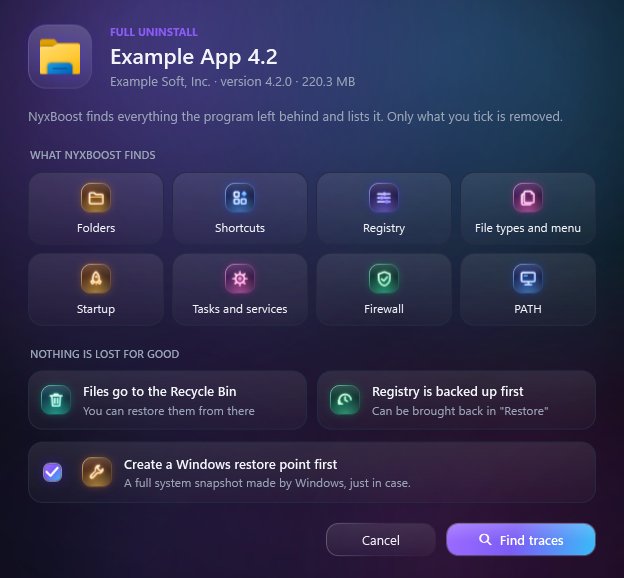
9kinds of traces a full uninstall removes
What changed
Install and updates
- NyxBoost now installs with NyxBoost-Setup.exe: its own window over the night sky, a few seconds, no administrator rights. Uninstall it in Installed apps; an update from the app installs with one click and restarts NyxBoost.
- Versions up to 0.28.8 never saw updates (they took themselves for version 1.0.0). Fixed — but on those versions download 0.28.9 once by hand from nyxboost.com; after that updates arrive as they should.
Tour and account
- A feature tour: 18 stops on what matters most and what is unique — the system score, profiles, before → after, the cart, undo, cleanup, startup, uninstalling without traces, game mode and the FPS lab, hidden miners, the network check, the AI advisor, Ctrl+K.
- The account is the card at the bottom left: sign-in, Premium and this PC in one panel. Buying, keys, invites, PCs and deleting the account are in your profile on nyxboost.com.
Now or into the cart
- Every setting: "Apply now" or into the cart to apply several at once; the cart is always in the title bar. A setting turned on outside NyxBoost can be returned to Windows' default, with undo.
- Cleanup works like the settings: every item can be cleaned now or put into the cart and applied together with the other changes.
- "Install and track": run a setup through NyxBoost and it remembers everything the program added, so it can later remove it without a trace.
Full uninstall and disk
- Full uninstall: the eraser icon on every program removes it with all its traces — folders, registry, services, tasks, file types, context menu entries, firewall rules and PATH entries. A restore point on a tick, files go to the Windows Recycle Bin.
- Disk analysis: click a file type to see only those files, largest first; select all or just some and send them to the Windows Recycle Bin.
Tray and performance
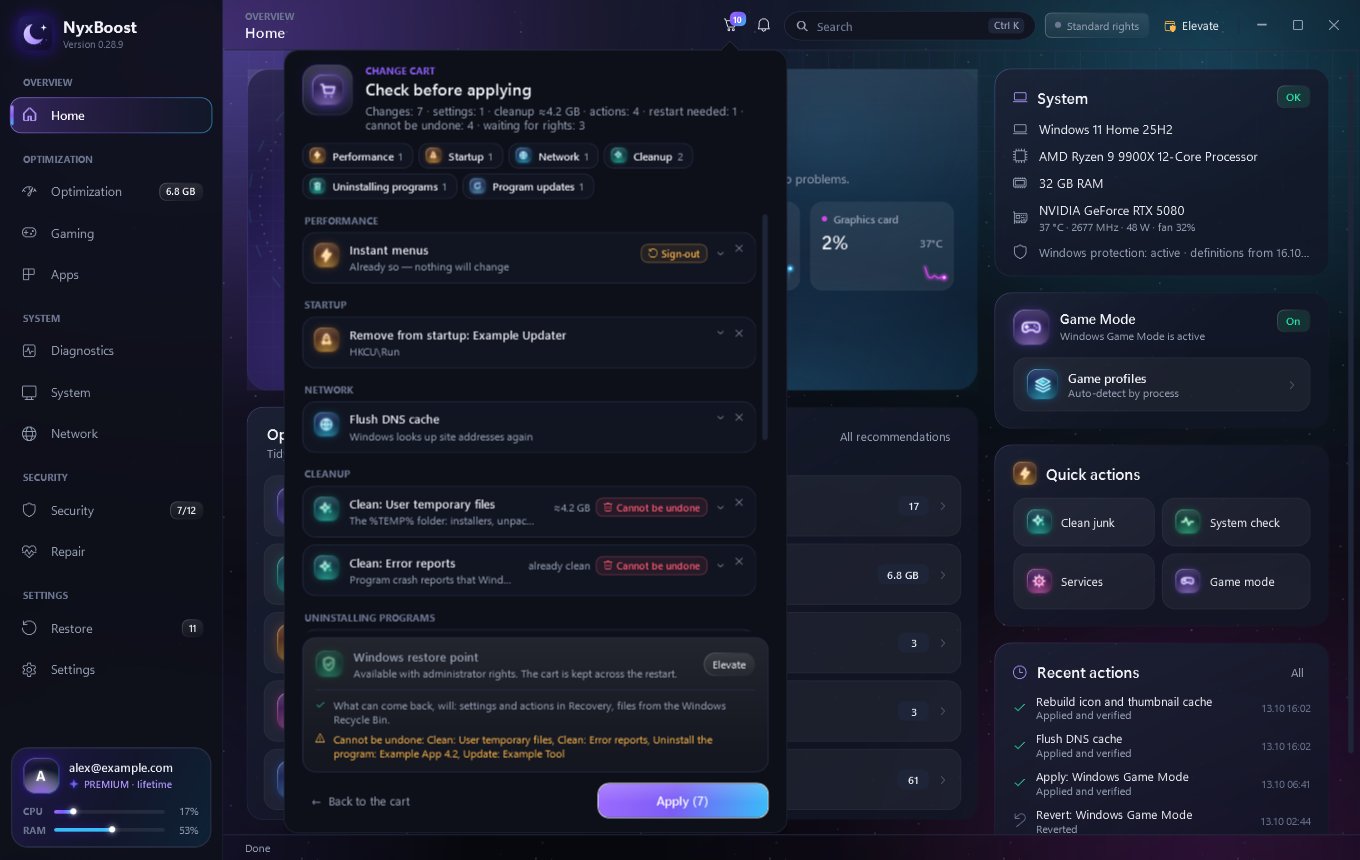
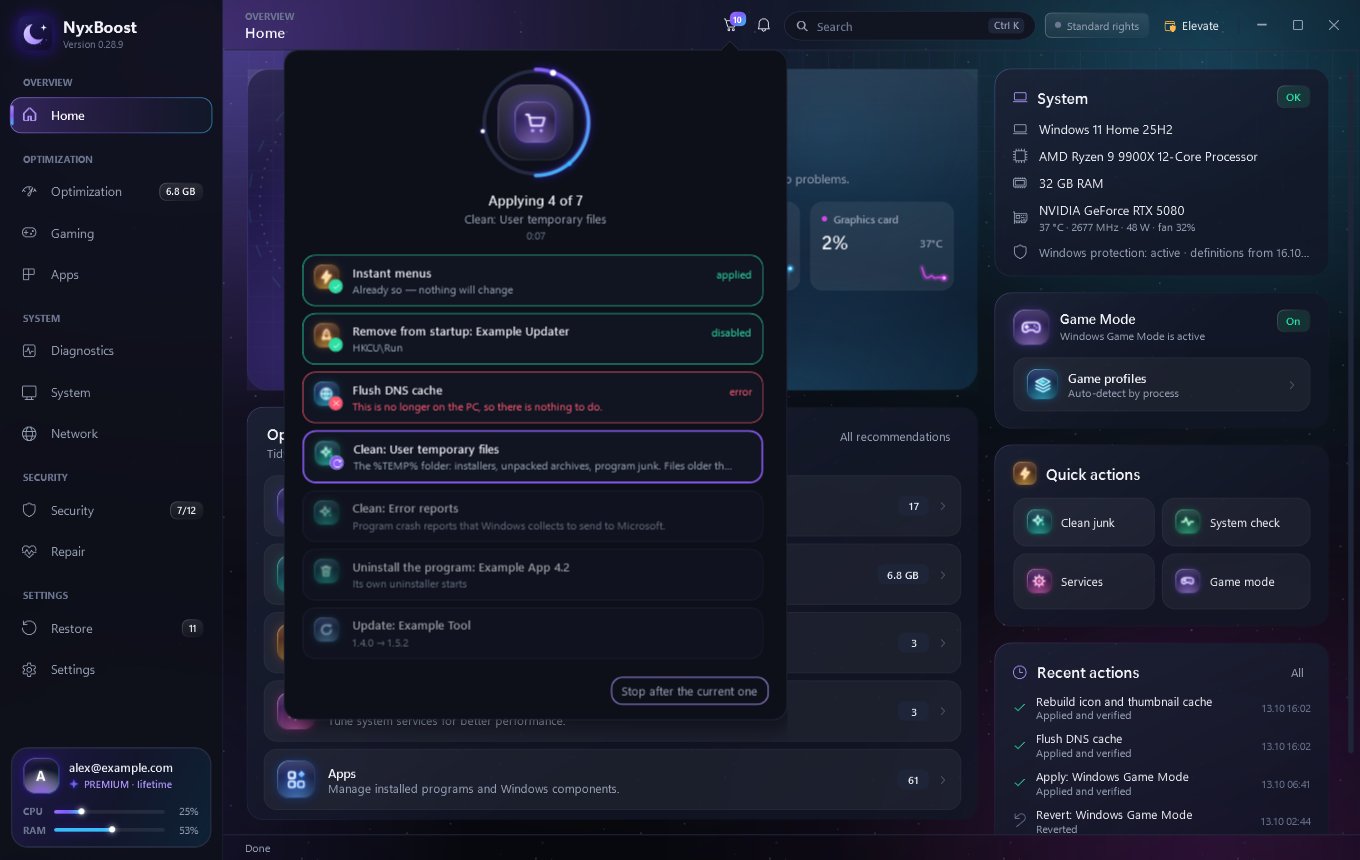
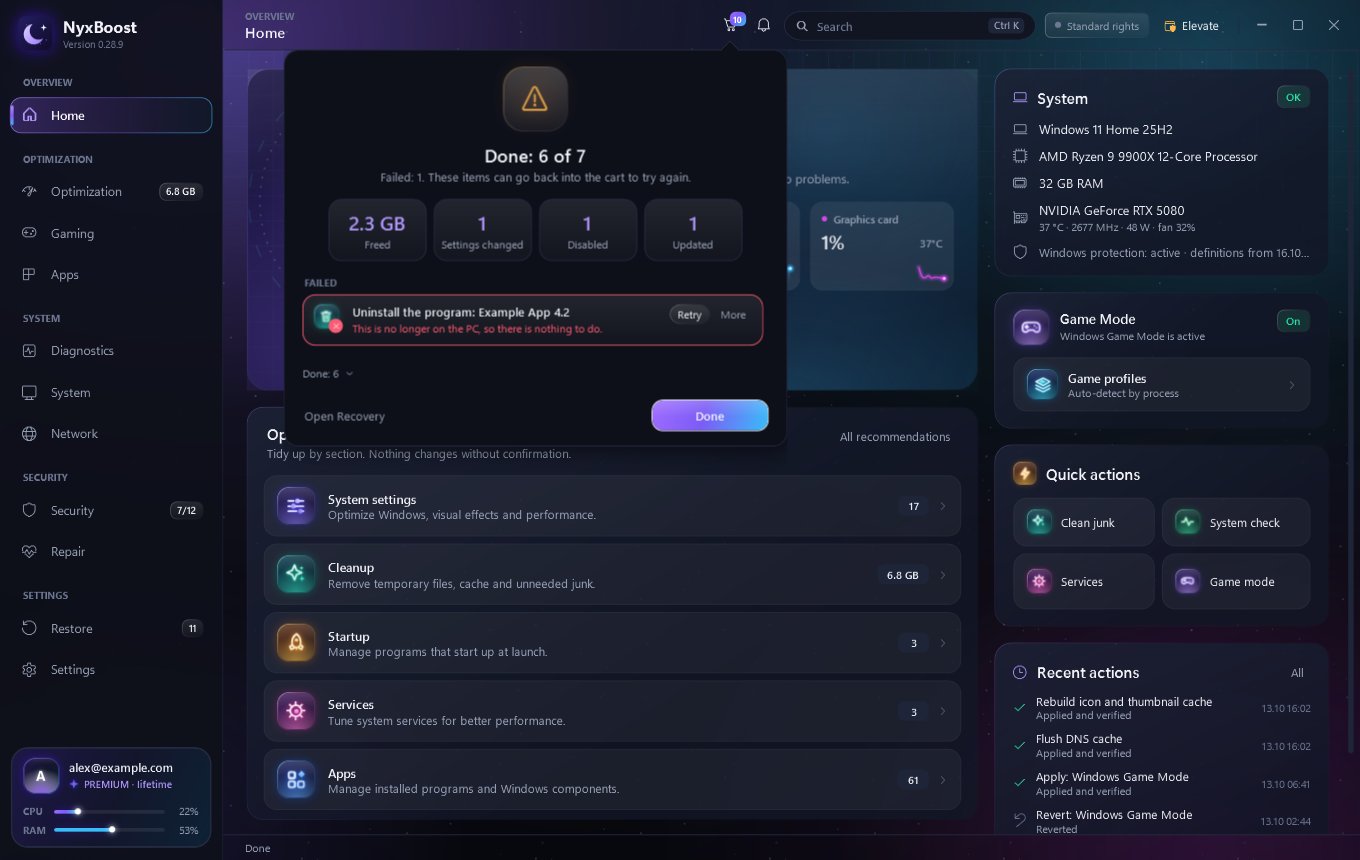
- "Now" or "into the cart" on every feature. "Apply all" reviews, runs and shows the result right in the cart panel, with no extra windows.
New look and details
- A new look: section icons, buttons, tabs, tags and cursors in dark lit glass, and a new optimisation gauge on the home page. An “i” next to tricky settings explains them in plain words.
- Keys now start with NB-; old SB- and NX- keys work as before. The introduction is livelier and shorter, the inbox is compact, and an error report closed with X no longer comes back.
- A tray icon with a menu: CPU and memory load, a quick jump to any section, exit. In the tray NyxBoost takes 20–50 MB of memory instead of ~285 MB and barely touches the CPU; switching the language restarts the app in it at once.
Before and after
Left behind beforeNow removed too
📁Folders in AppDataInto the Recycle Bin
⚙Registry keys, services, tasksRemoved, registry backed up
☰File types and context menuCleaned up
🛡Firewall rules and PATHRemoved
BeforeNow
⬇NyxBoost.exeNyxBoost-Setup.exe
↻No updates offeredUpdate in one click
◉Account page in the menuCard at the bottom left + profile on the site
🔑SB-7K2QM-…NB-7K2QM-…
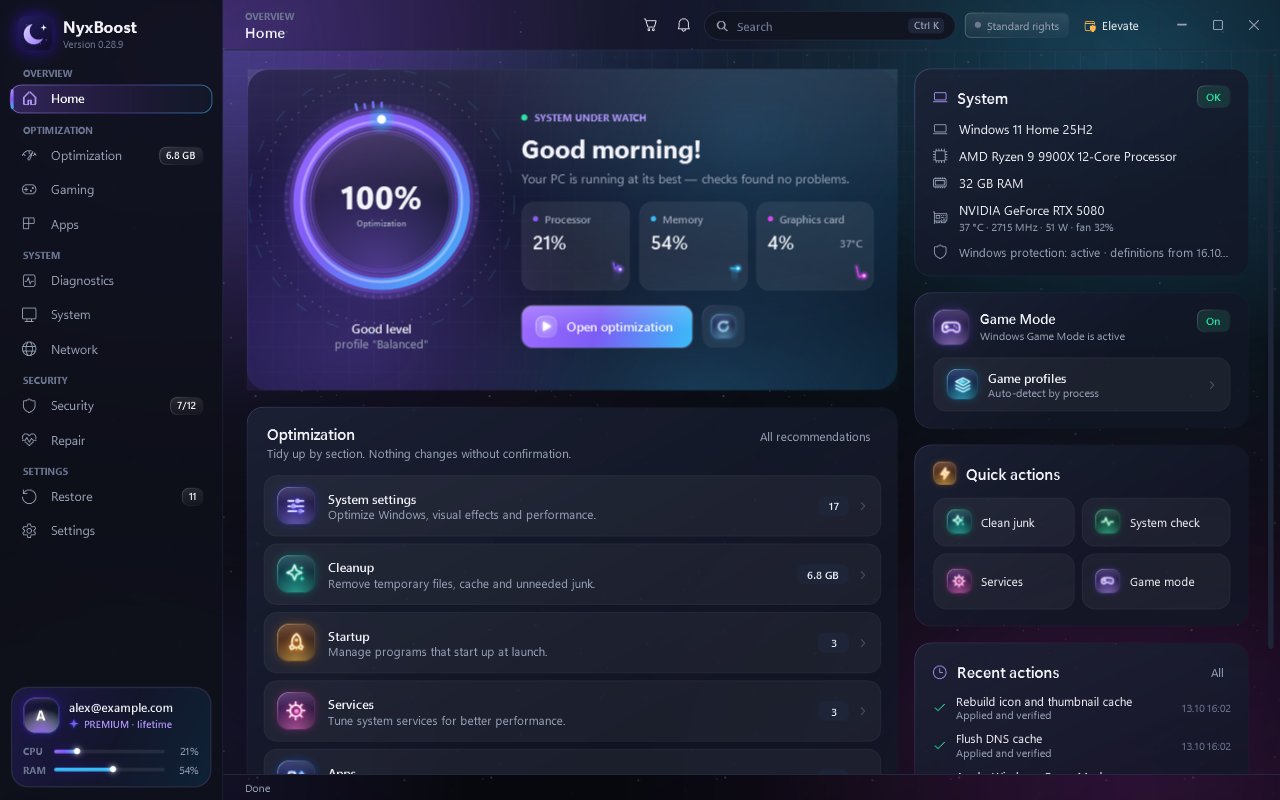
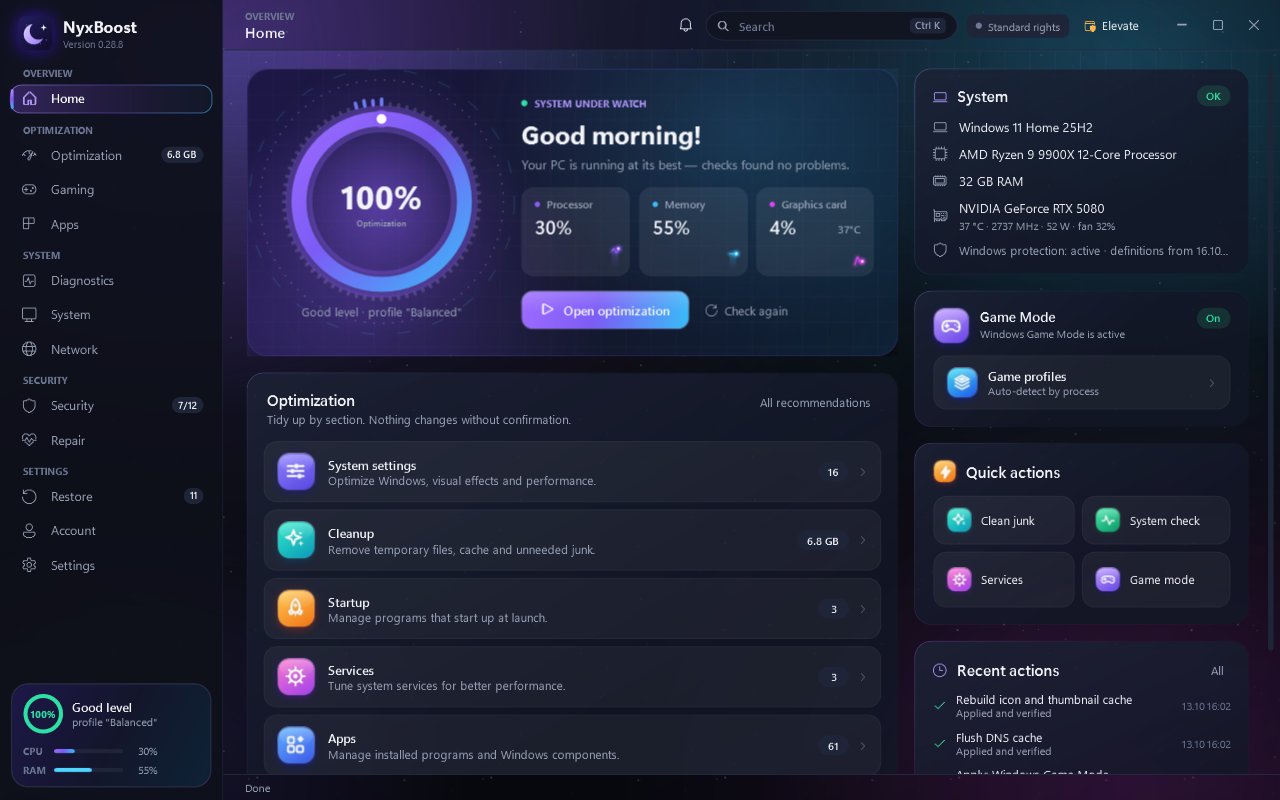
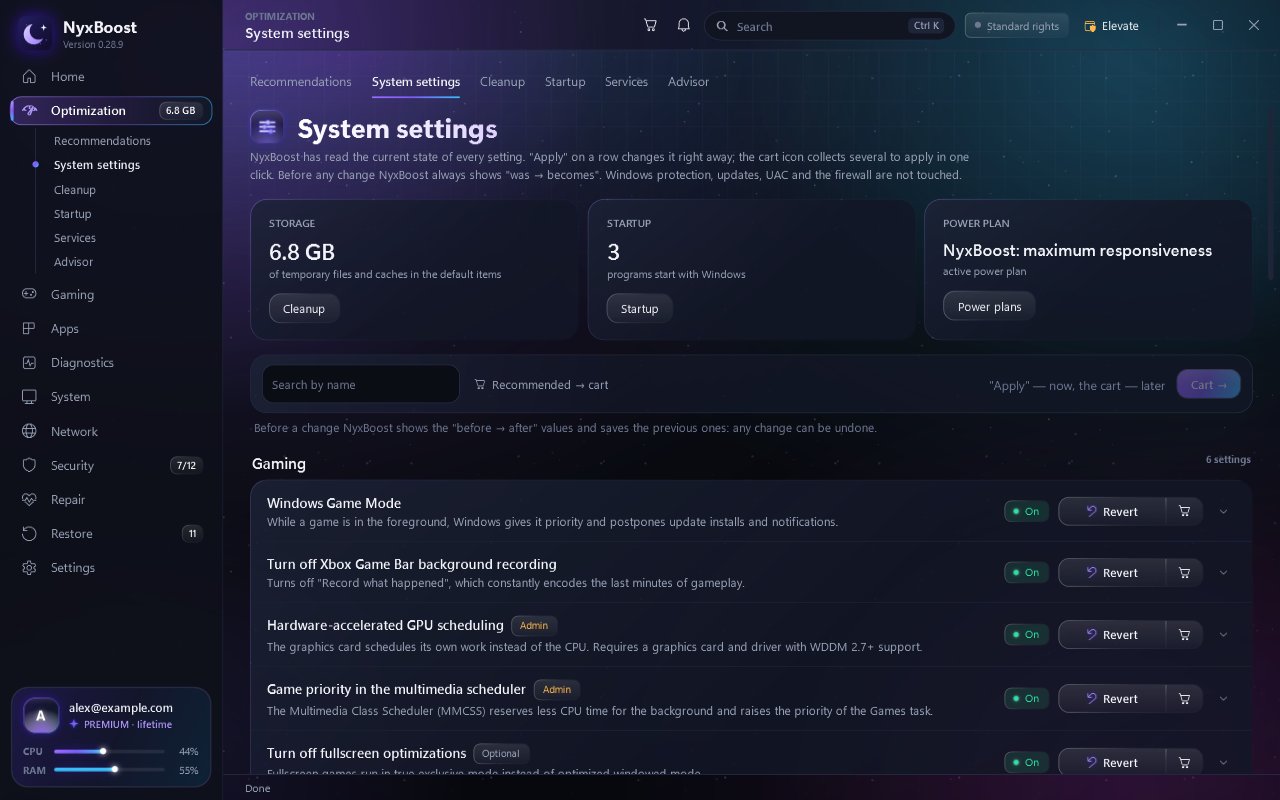
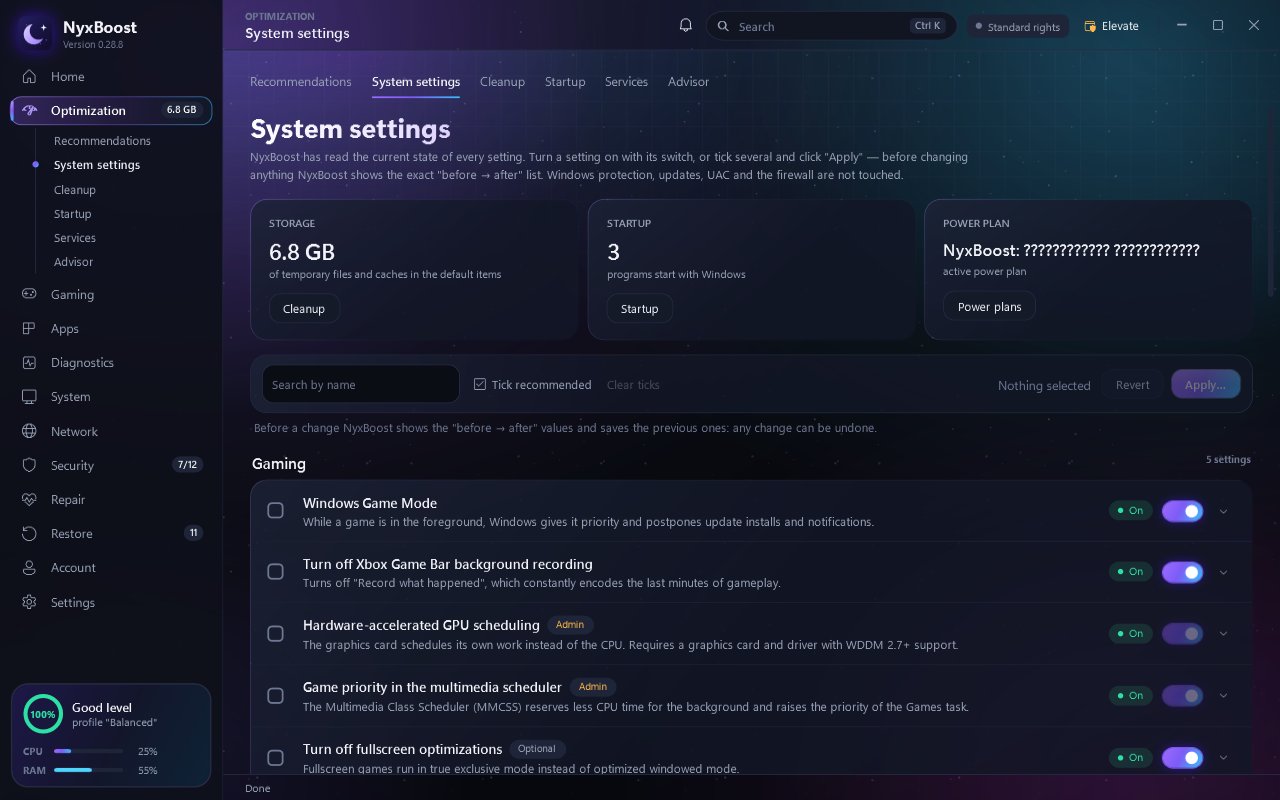
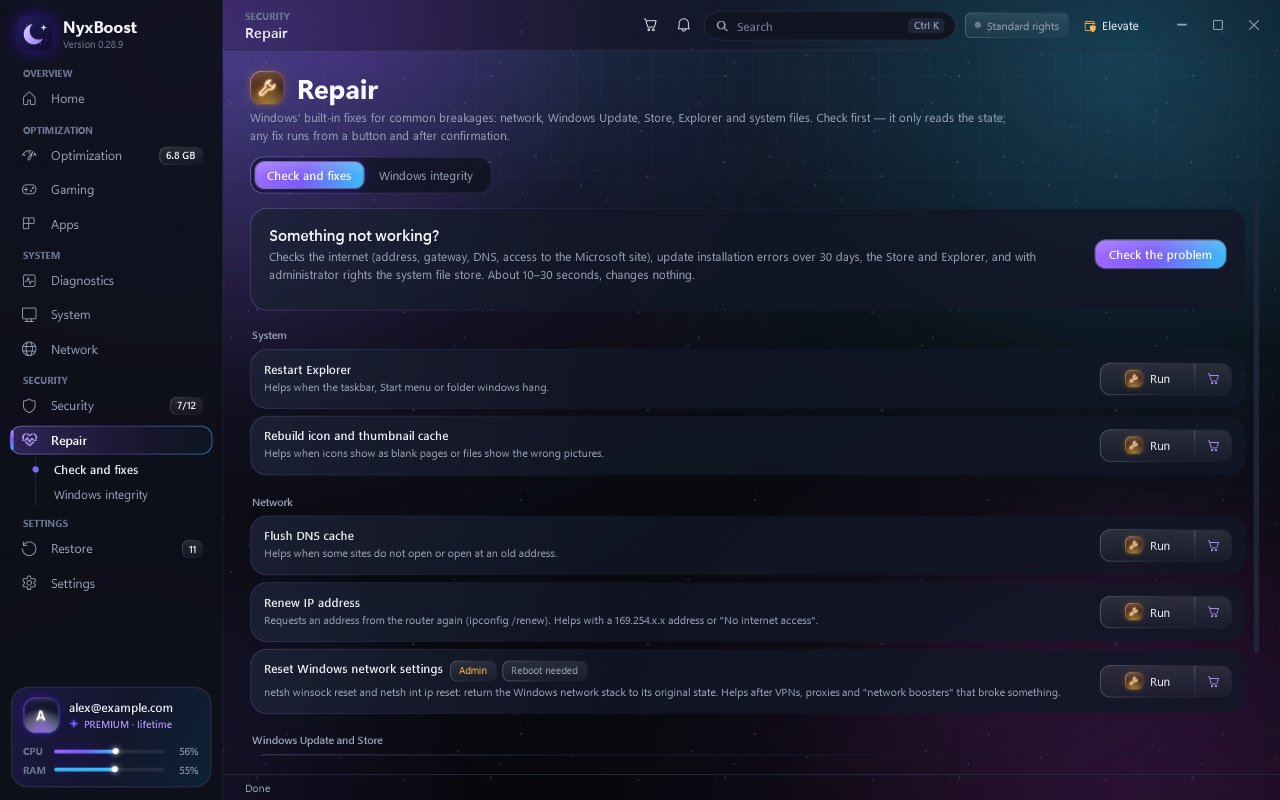
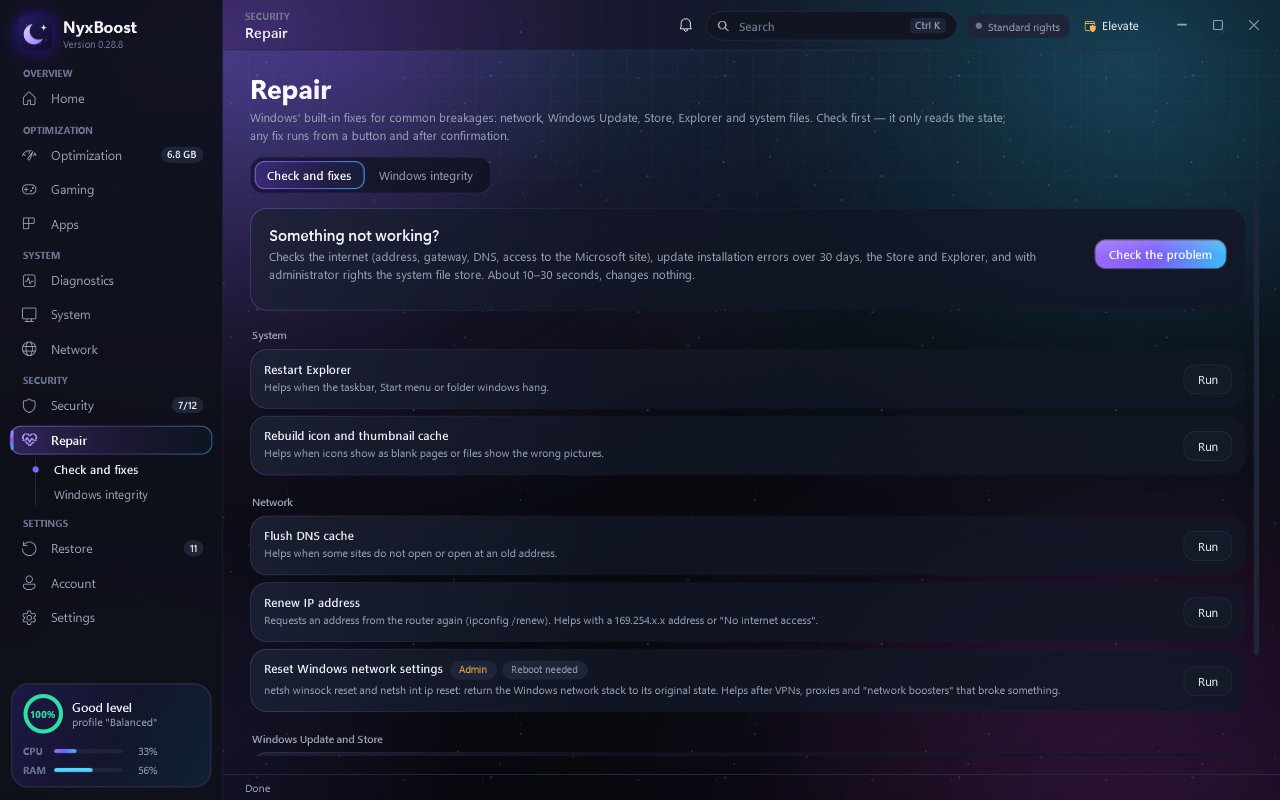
New in pictures
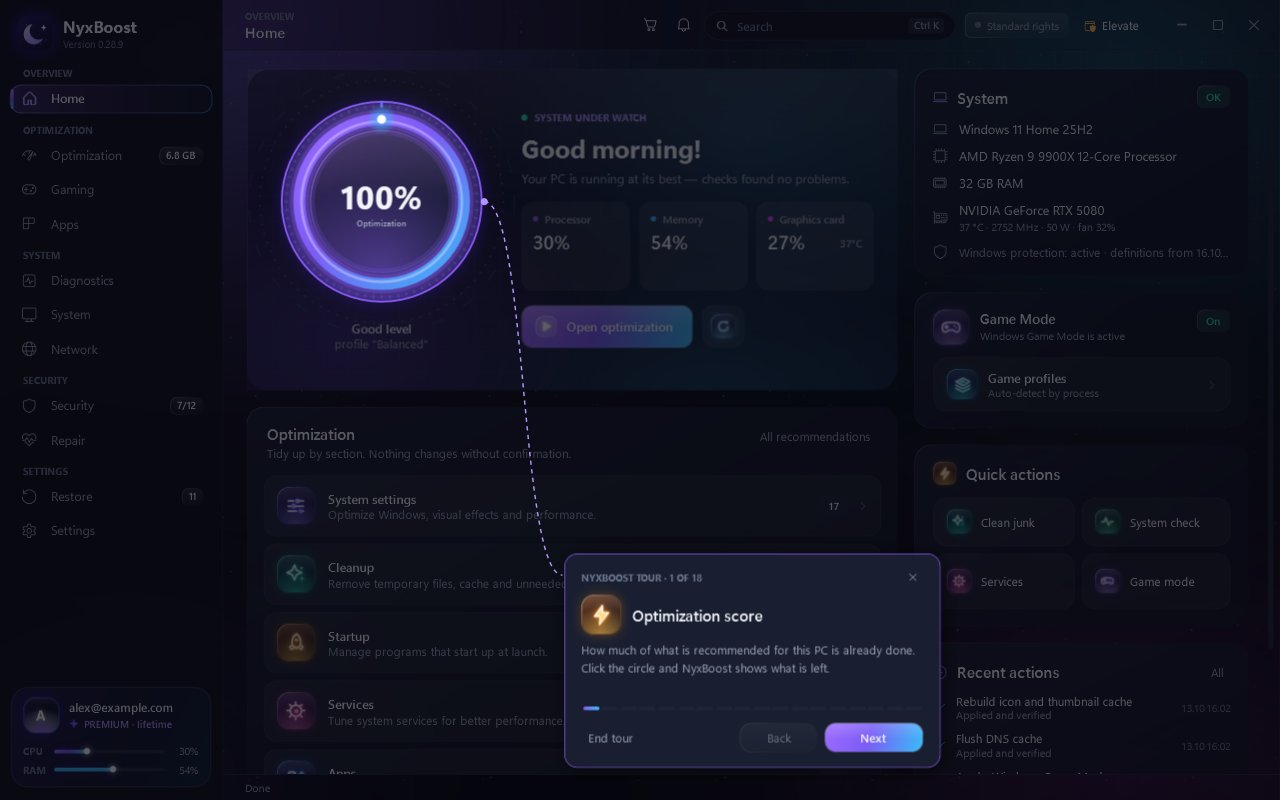
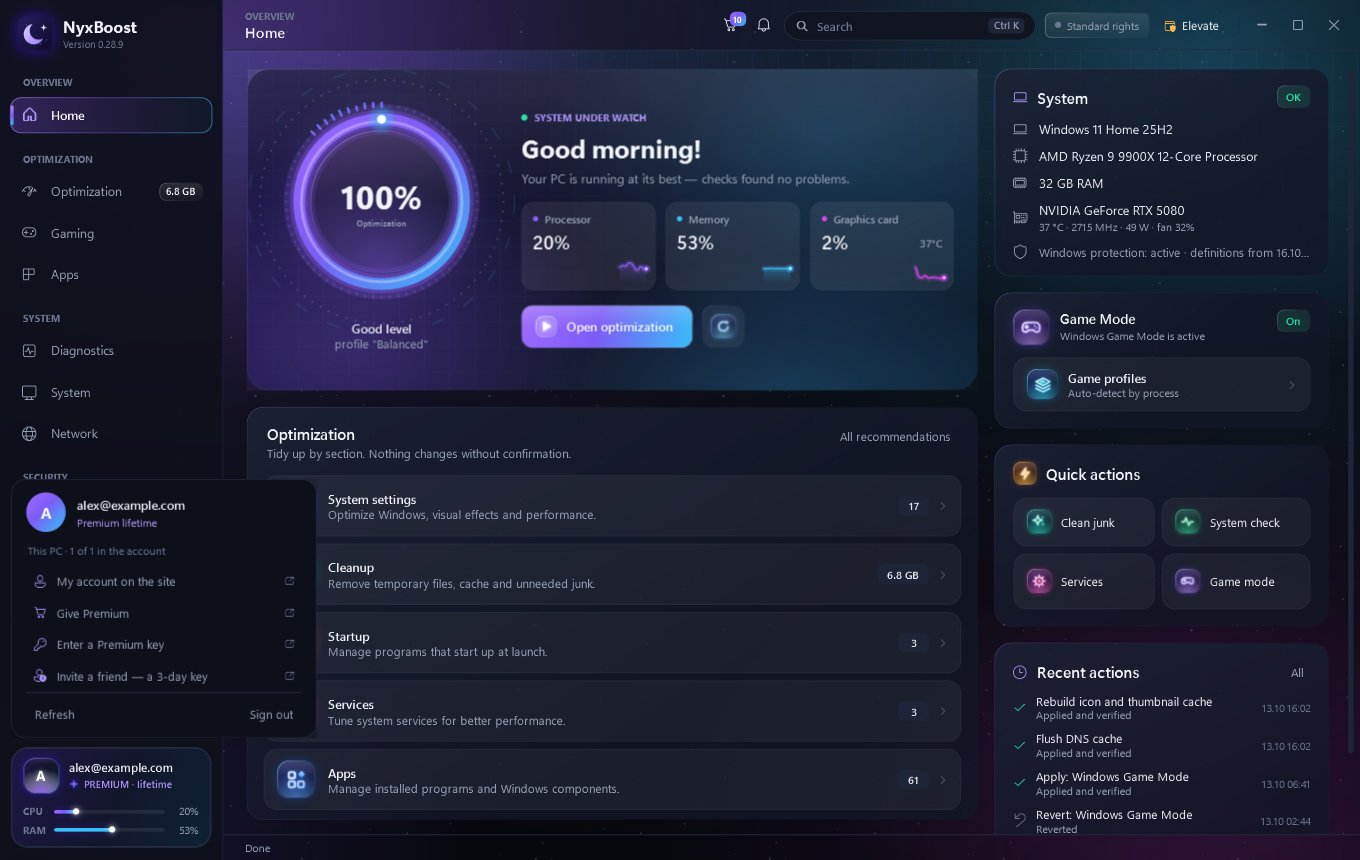
How it works
- Step 1Review
What changes, what cannot be undone, what needs administrator rights; a restore point on a tick.
- Step 2Run
Settings, cleanup, startup, services and uninstalls run one after another, each verified.
- Step 3Result
Freed space and the count of changes; anything that failed can go back into the cart.
- Step 1Download
One file from nyxboost.com, about 50 MB, SHA-256 on the install page.
- Step 2Install
A few seconds into your programs folder; a desktop shortcut if you want one.
- Step 3Update
New versions arrive in the app and install with one click; NyxBoost restarts by itself.
In numbers
NyxBoost's memory in Task Manager
In the tray, after 10 s−81%
Minimised, after a minute−96%
Measured on a desktop PC, the "Memory" column. In the tray it settles at 12–55 MB; the worst reading is shown.
CPU load of a window behind other windows (one core)
Live sensors every 6 s instead of 2 s−55%
Longest freeze when opening Apps
Apps → Programs−22%
Program icons are now read in the background; worst of several runs (130–221 ms).