%22%2F%3E%3Cpath%20d%3D%22M68.42%2C36.32%20A48%2C48%200%201%200%20117.64%2C104%20A42%2C42%200%200%201%2068.42%2C36.32%20Z%22%20fill%3D%22url(%23moon)%22%2F%3E%3Cpath%20d%3D%22M120%2C38%20L123.5%2C49.5%20L135%2C53%20L123.5%2C56.5%20L120%2C68%20L116.5%2C56.5%20L105%2C53%20L116.5%2C49.5%20Z%22%20fill%3D%22%23ffffff%22%2F%3E%3Ccircle%20cx%3D%22132%22%20cy%3D%22112%22%20r%3D%222.6%22%20fill%3D%22%23c4b5fd%22%2F%3E%3Ccircle%20cx%3D%22104%22%20cy%3D%22128%22%20r%3D%221.9%22%20fill%3D%22%23c4b5fd%22%2F%3E%3Ccircle%20cx%3D%2240%22%20cy%3D%2240%22%20r%3D%221.9%22%20fill%3D%22%23c4b5fd%22%2F%3E%3C%2Fsvg%3E) NyxBoost
NyxBoostSigned updates, three window sizes and a more polished interface
Updates are now verified before they are installed, and they install when it suits you. The window has three sizes that fit the screen, and Repair, Services, the cart and confirmations are clearer and more consistent.
What changed
Updates you can trust
- Signed updates: before downloading a new version, NyxBoost checks that it carries a valid NyxBoost digital signature, and after the download it compares the file with the published SHA-256 checksum. A version that fails either check is not installed.
- Updates: with automatic checks on (the default), NyxBoost looks for a new version at start and every 30 minutes. A downloaded update installs when you close NyxBoost, or right away with "Restart now"; your settings and data are kept. With "Update automatically" on, new versions download in the background. If an update cannot be downloaded or verified, nothing is installed and you keep working in your current version.
The window
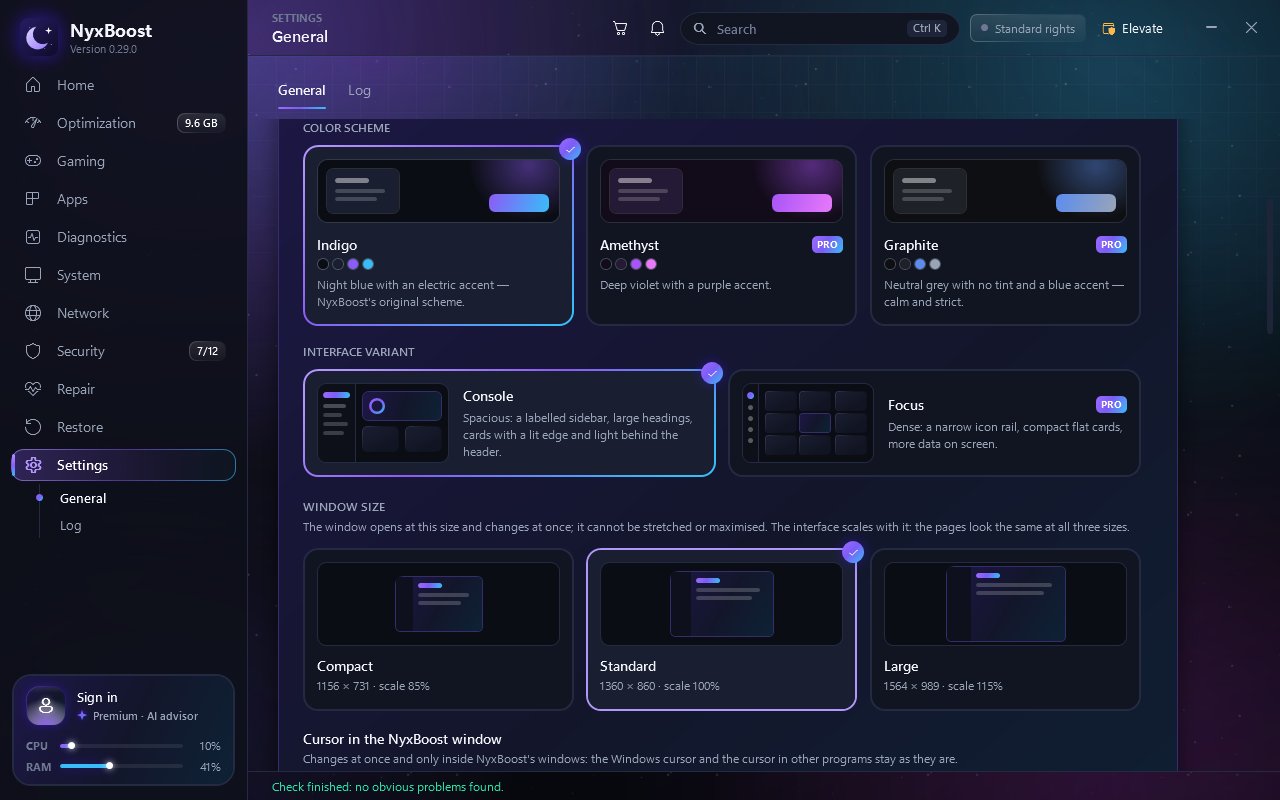
- Three window sizes in Settings — compact, standard and large. The interface scales with the window and shrinks to fit smaller screens. The window can no longer be stretched or maximized, so the bottom of a page is never cut off.
- Sizes: compact 1156 × 731 (interface at 85%), standard 1360 × 860 (100%) and large 1564 × 989 (115%). The large size is made for a 1920 × 1080 screen; pages look the same at every size, only the scale changes.
- The size changes at once, without a restart, and is remembered: NyxBoost opens at the size you chose. Moved to a monitor with different scaling, the window adjusts to that screen.
Repair and services
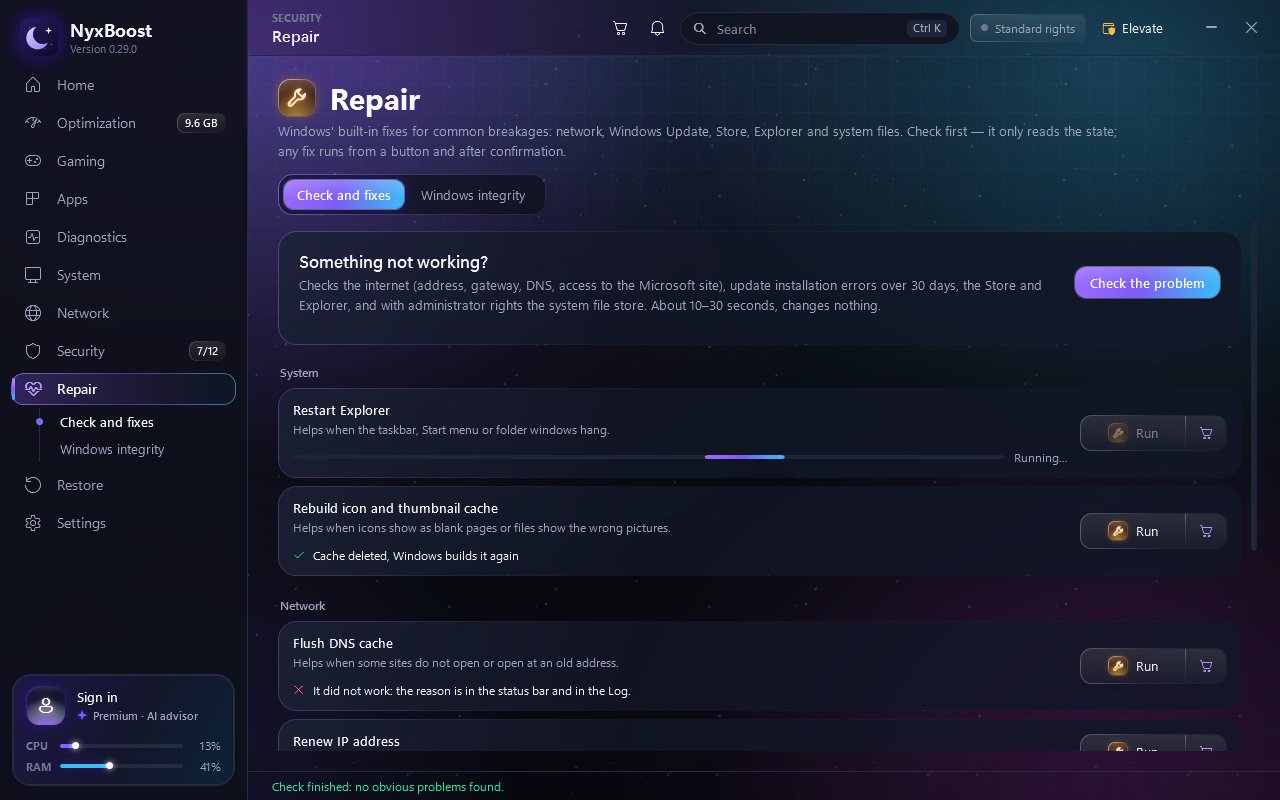
- Repair: before a fix runs, you see exactly what will change, and its progress and result appear right in its row.
- Services: changing a service's startup type first shows a clear "now → becomes" card.
The cart and empty screens
- Cart: when you add several items at once in Cleanup, Disk analysis or Apps, you can see them go into the cart.
- Empty screens now suggest the next step: File analysis before you choose a file, and the ping and route charts before the first measurement. The Log is now a single card with labelled columns.
- The review request is now the same for everyone and asks for an honest opinion, positive or negative.
- If you use NyxBoost 0.28.8 or earlier, download 0.29.0 once from nyxboost.com: those versions do not receive updates automatically. After that, updates arrive in the app.
Fixes
- Cart cards no longer disappear right after being added.
- Rounded corners on cards and images are now smooth, and shadows are no longer cut off at the edge of a page.
- Short confirmation dialogs no longer show an empty band above the buttons.
- Program icons in lists stay sharp at 150–200% Windows scaling.
- When you are signed out, the AI advisor's example questions appear unavailable with a hint, instead of as buttons that did nothing.
Before and after
How it works
- Step 1Check
At start and every 30 minutes when automatic checks are on; "Check for updates" can be used at any time.
- Step 2Signature
The release must carry a valid NyxBoost signature, or it is not downloaded.
- Step 3Download
In the background with "Update automatically", or with one button; the file must match its SHA-256.
- Step 4Install
When you close NyxBoost, or at once with "Restart now". Settings and data stay.
New in pictures
Thank you
Thank you for using NyxBoost. On 0.28.9, version 0.29.0 arrives in the app; on 0.28.8 or earlier, download it once from this site. We will describe the next release here as well.
Download NyxBoost