 NyxBoost
The Wallpaper tab: a wallpaper and effects for each monitor, and live wallpaper on Windows 11 25H2
A new Wallpaper tab gives each monitor its own wallpaper and effects, with presets and folders that fill the library by themselves. Live wallpaper moves again on Windows 11 25H2 and pauses on every monitor while a game is full screen.
3modes for several monitors: the same, each its own, one across all
15–60frames per second to choose from, plus a power-saving mode
5effects over the wallpaper, shared or per monitor
What changed
Live wallpaper on Windows 11 25H2
- Live wallpaper moves again on Windows 11 25H2. Before, NyxBoost showed a still frame and said it was a Windows problem for every program. That was wrong: NyxBoost put its wallpaper window where 25H2 does not show it. Now the window sits in the right layer of the desktop and the animation is visible; a still frame left by 0.30.0 is replaced by your previous wallpaper.
The Wallpaper tab
- A new Wallpaper tab with a map of your monitors (with their real model names) and three modes: the same wallpaper everywhere, its own wallpaper on each monitor, or one picture across all screens. Each monitor keeps its own settings; an unplugged monitor keeps its wallpaper until it is back.
- A library of pictures (JPG, PNG, BMP), GIFs and videos with thumbnails, length, favorites, search and sorting. NyxBoost keeps its own copy and never touches your original; the same file is not copied twice.
- Wallpaper folders: NyxBoost's own folder and any folders of yours, subfolders included. A file you add appears in the library by itself and is used in place, without a copy; a large file is picked up once it has finished copying; renames and deletions are noticed; a folder on an unplugged drive waits for it. "Hide from library" and "Remove folder" never delete files from the disk.
- Preview in the proportions of the chosen monitor, with Fill, Fit, Stretch and Center; the desktop does not change until you press Apply. Apply reports success only once the wallpaper is actually shown; if a file cannot be opened, the previous settings come back, and a monitor with a damaged file shows the shared wallpaper instead of a black screen.
- Video sound: volume and mute for the wallpaper and, separately, for the preview, muted by default. Only one video is heard at a time, and the preview's sound turns the wallpaper down. Each file is decoded once, however many monitors show it.
Effects and presets
- Effects over the wallpaper: snow, rain, twinkling particles, a soft glow and parallax (the wallpaper follows the mouse slightly). Each has its switch, brightness and speed, and where it matters density, size and color; Default brings the original values back. Effects show in the preview, look the same at any resolution and scale, can be shared or set per monitor, and are all off by default.
- Presets: Calm, Winter, Aurora, Cyberpunk, Minimal, Performance and your own — save the current settings, rename, duplicate, delete, restore a built-in one, export and import a file (settings only, no paths, all checked on import). A preset changes the shared wallpaper, effects and smoothness, not monitors with a wallpaper of their own.
Performance and the game pause
- Smoothness of 15, 20, 30 or 60 frames per second for scenes, effects and GIFs (a video plays at its own rate), and a power-saving mode: 15 frames per second, half the particles, no glow or parallax. A new pause while the desktop is covered by a maximized window. The tab shows how much CPU and memory NyxBoost is using right now and the real frame rate of the effects.
- The game pause on several monitors: live wallpaper stays paused while a full-screen window of another program is open on any monitor, even when you click into a chat on another monitor (before, the animation came back at that moment and loaded the graphics card under the game). An invisible overlay over the screen, such as NVIDIA's, does not count as a full-screen window.
- Lighter live scenes: Grid on three monitors uses about 10–12 % of one core instead of 40 % and about 0.5 GB of memory instead of 1.1 GB; Waves and Aurora use 2–4 times less CPU (the still stars are drawn once). They look the same.
- Less background work: loading indicators and the wallpaper preview no longer keep running after you leave their section.
Interface and languages
- Chinese interface: characters are no longer drawn in Japanese shapes — NyxBoost uses the Microsoft YaHei UI font for Chinese text, in the app and in the setup. The translation has been reviewed: the same names for sections and buttons, Chinese quotation marks and punctuation.
- Spanish interface: one form of address everywhere ("usted"); drives are called "Disco del sistema" and "Disco local"; buttons and hints are fixed, and long labels are no longer cut mid-word.
- English interface: American spelling, clearer buttons ("Select recommended", "Apply selected", "Save selection"), the Restore section has the same name everywhere, and "before → after" instead of "was → becomes".
- Russian interface: counts agree with their words at any number, clearer buttons, and decimals with a comma ("35,4 GB") follow the interface language rather than the regional settings of Windows.
- Quotation marks and lists in messages follow the rules of the interface language.
- The Discord server: a link in Settings, on the Account page and in quick search (Ctrl+K → "discord").
- Ctrl+K always opens quick search: before, it did nothing right after the start, after opening from the tray or after a click on an empty spot of the window.
- The paid edition is called Premium everywhere; its badges and the main buttons follow the colors of the chosen theme (indigo, amethyst, graphite), without a harsh gradient or strong glow.
Fixes
Layout3
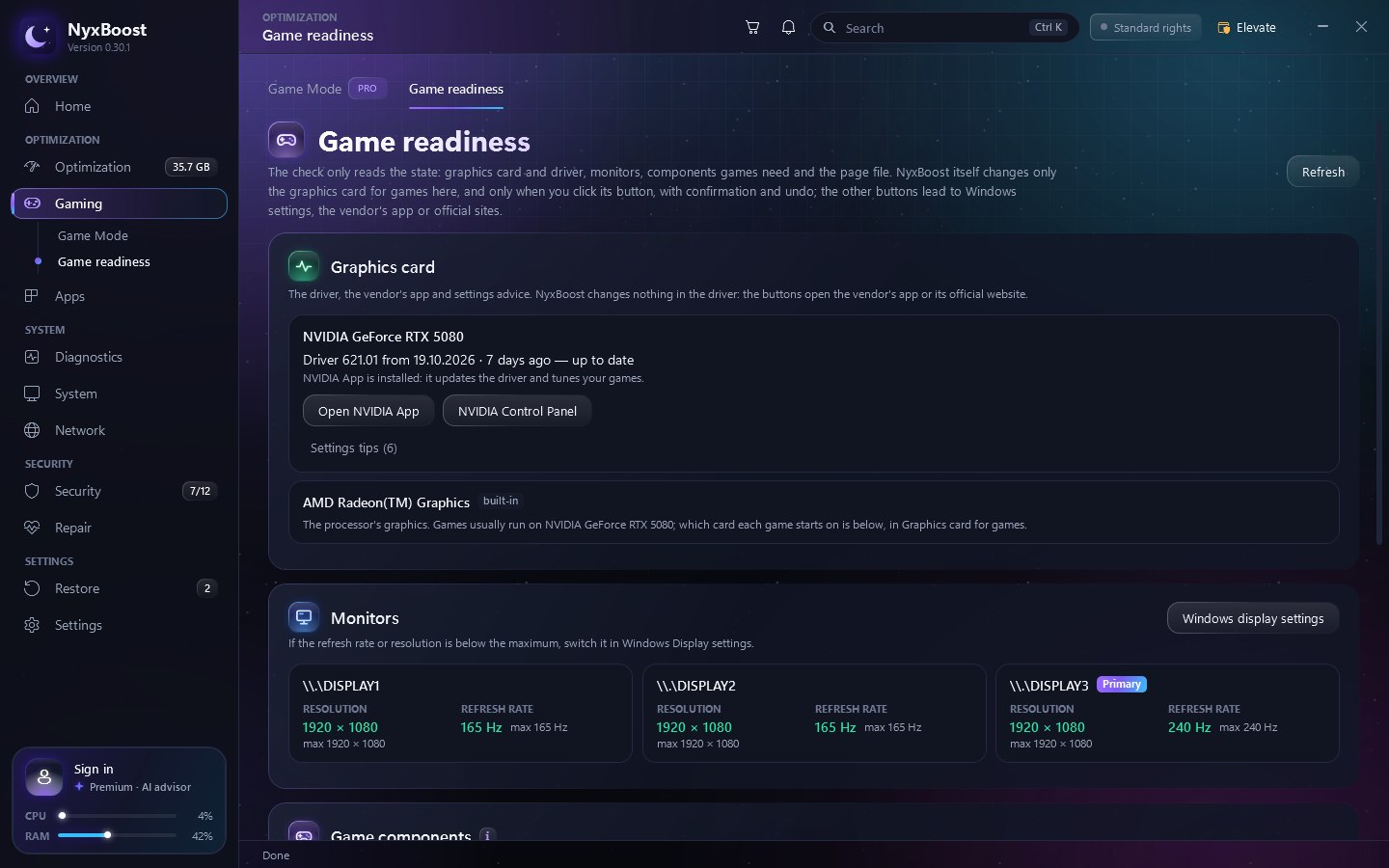
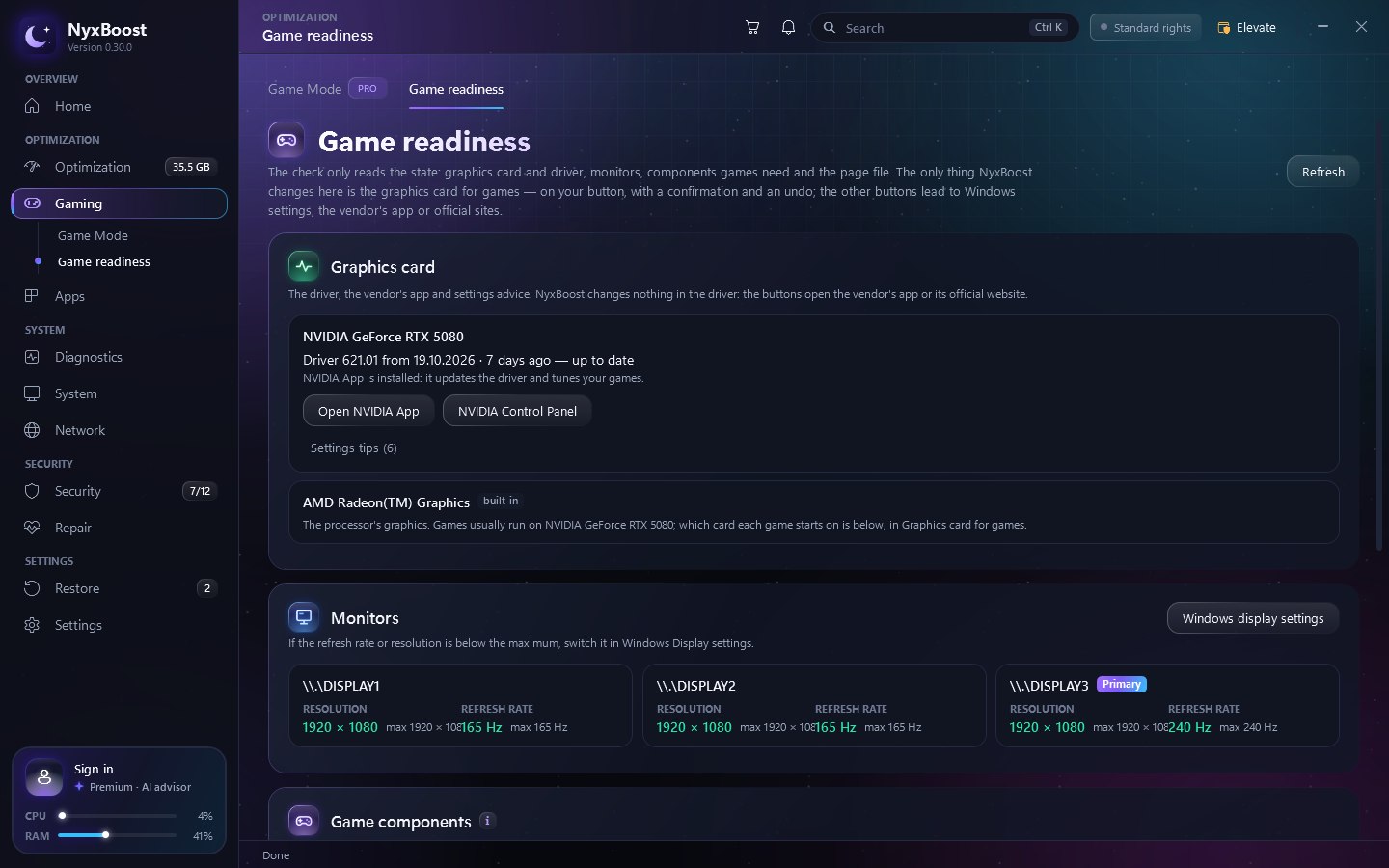
- Game readiness: with several monitors, "max …" no longer runs into the refresh rate and moves to a second line; long column captions wrap too.
- Apps: the text under the title matches the open tab (the Programs tab showed the description of Store apps).
- In the small window, "Auto-detect by process" on the home page ends with an ellipsis instead of being cut through a letter.
Labels and states3
- Power plans: the NyxBoost plan is no longer labelled as made by another program, and "from 100% to 100%" reads "always 100%".
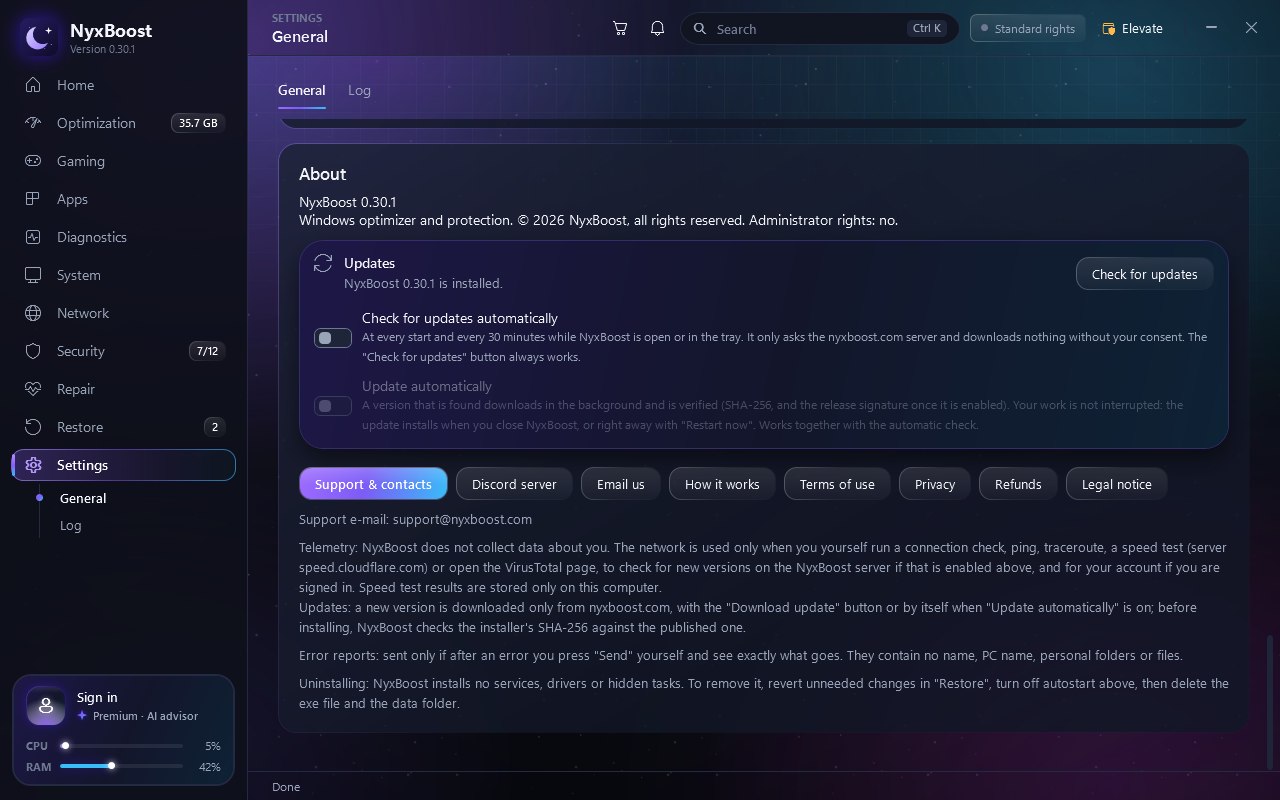
- About: the wrong line "Open-source Windows optimizer, MIT license" is gone — NyxBoost is not open source; it now reads "© 2026 NyxBoost, all rights reserved".
- The PC summary shows clear states for the restart and administrator checks ("Not needed", "Standard rights"); "x64" and "Secure Boot" on the System page; the button that changes a service's start type is called "Apply"; the tour has its own icons for the account, search and protection.
Before and after
New in pictures
In numbers
CPU load of live wallpaper (one core)
Grid, three monitors
−70%
Measured on a PC with three monitors, the live scene Grid on all of them. The CPU load settles at 10–12 % of one core; the worst reading is shown.
Memory of live wallpaper
Grid, three monitors
−55%